


If you’re a farmer preparing for the wheat season, understanding how to register on Bardana App in Punjab is more important than ever in 2026. The Punjab government has introduced this digital system to make wheat procurement easier, faster, and more transparent for farmers across the province and also read about Punjab Dhee Rani Program.
In the past, many farmers struggled with long queues, paperwork, and dependency on agents. Now, things have changed. With the Bardana App, you can complete your registration, submit your land details, and apply for wheat bags (bardana) directly from your mobile phone without visiting any office.
This guide will walk you through everything in a simple and practical way so you can register without confusion.
What is the Bardana App and Why It Matters?
The Bardana App is an official mobile application launched by the Punjab government to manage the wheat procurement process digitally. Its main purpose is to ensure that bardana (grain bags) are distributed fairly among farmers based on their land and production capacity.
Instead of relying on middlemen, farmers now have direct access to the system. This reduces corruption, speeds up the process, and ensures that deserving farmers get their share on time.
For many farmers, learning how to register on Bardana App in Punjab means gaining control over their application and avoiding unnecessary delays.
Who Can Register on the Bardana App?
Before starting the registration process, it’s important to understand whether you are eligible. The criteria are simple and designed to include most farmers in Punjab.
Here’s a quick overview:
| Requirement | Details |
| Residency | Must be a resident of Punjab |
| CNIC | Valid Computerized National Identity Card |
| Land Status | Owner or tenant farmer |
| Mobile Number | Active and registered SIM |
Both small and large farmers can apply, and tenant farmers are also fully eligible, which makes this system accessible to a wide group.

How to Register on Bardana App in Punjab – Step-by-Step Process
The process is straightforward, but it’s important to follow each step carefully to avoid mistakes.
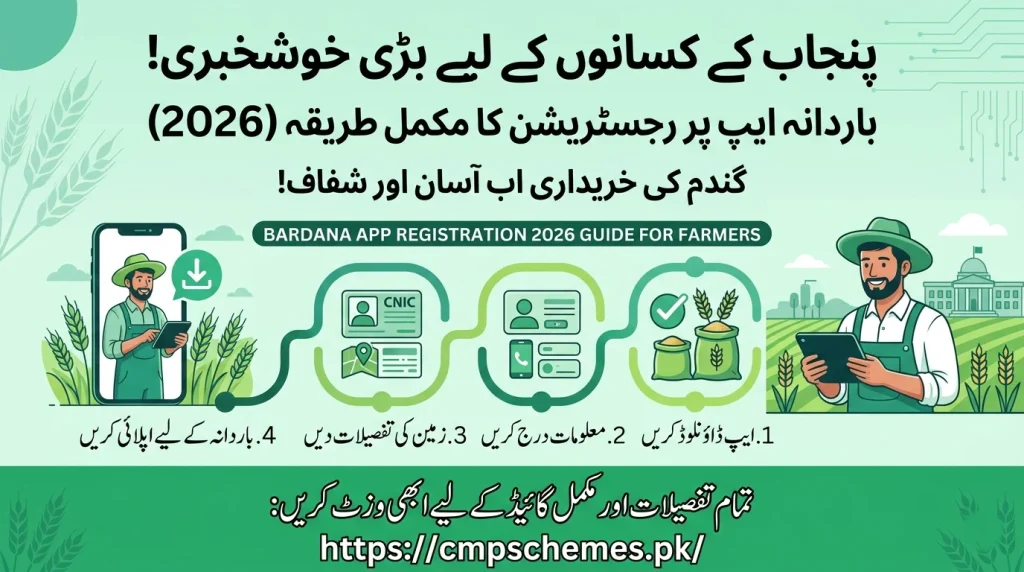
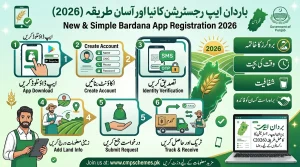
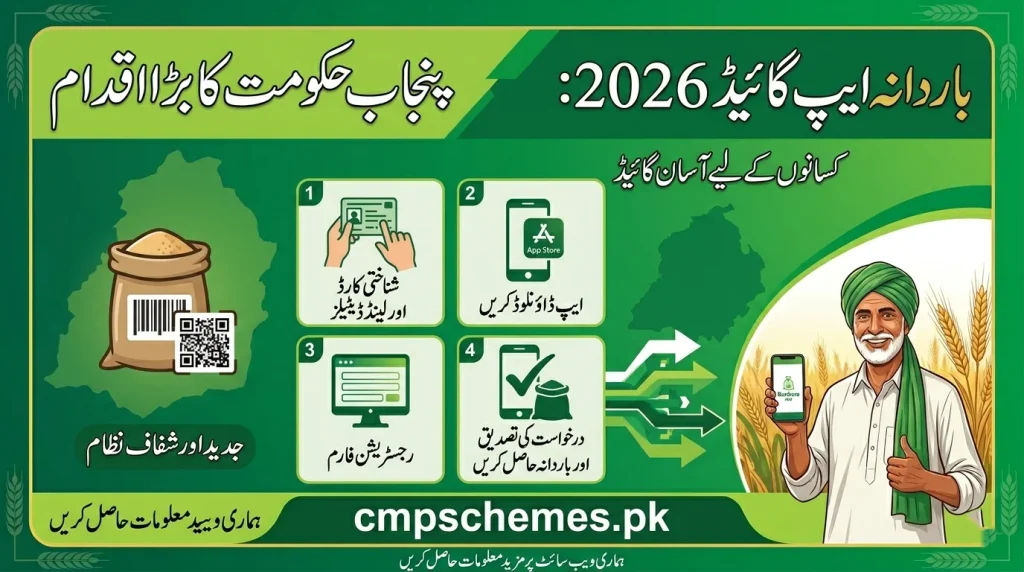
First, download the Bardana App from the Google Play Store. Make sure you install the official version to avoid any fake applications. Once installed, open the app and select the “Sign Up” option. This will take you to the registration form.
Now comes the important part—entering your personal details. You’ll need to provide your full name, CNIC number, mobile number, and father’s name. These details must match your official documents, so take your time and double-check everything before moving forward.
After entering your personal information, you’ll be asked to create a password. Choose a strong password that you can remember easily, as you’ll need it later to log in and check your application status.
Next, you’ll need to add your land details. This includes selecting whether you are a landowner or tenant, entering your cultivated land area, and providing your location information. This step is very important because your bardana allocation depends on this data.
Once everything is filled in, complete the captcha verification and submit your application. After submission, your registration will be recorded in the system.
Finally, you can log in using your CNIC and password to access your dashboard and continue with the application process.
What Happens After Registration?
After successfully completing the process of how to register on Bardana App in Punjab, your next step is to apply for bardana.
Inside your account dashboard, you will find the application form where you need to enter details about your wheat crop. This includes your cultivated area, district, and expected production.
Once submitted, your application goes through a verification process. If everything is correct, you will receive a confirmation via SMS or app notification.

Key Features of the Bardana App
The Bardana App is not just a registration tool—it’s a complete system designed to help farmers manage their applications easily.
It allows farmers to:
- Register and apply from home
- Track application status in real-time
- Avoid unnecessary paperwork
- Get updates directly on their mobile
This digital shift has made the wheat procurement process much smoother compared to previous years.
Benefits of Using the Bardana App
Understanding how to register on Bardana App in Punjab is valuable because it brings several real benefits for farmers.
One of the biggest advantages is convenience. Farmers no longer need to travel to government offices or rely on agents. Everything can be done from a mobile phone, saving both time and money.
Another important benefit is transparency. Since the system is digital, there is less chance of manipulation or unfair distribution. Every application is processed based on actual data.
It also improves efficiency. Applications are processed faster, and farmers receive updates instantly, which helps them plan better during the wheat season.
Common Mistakes Farmers Should Avoid
While the process is simple, small mistakes can cause delays or rejection. Many farmers face issues because of incorrect information or incomplete forms.
Some common mistakes include entering the wrong CNIC number, using an inactive mobile number, or providing incorrect land details. These errors can easily be avoided by reviewing your information before submission.
Also, make sure you remember your login credentials. Losing your password can delay your access to the system when you need it the most.
Helpful Tips for Smooth Registration
To make the process easier, it’s a good idea to prepare before starting. Keep your CNIC and land information ready so you don’t have to search for details while filling the form.
Try to register early instead of waiting for the last date. Early registration helps you avoid server issues and ensures your application is processed on time.
Also, regularly check your app after registration. Updates and notifications are important, and missing them can affect your application.
Why Digital Registration is Important for Farmers
The introduction of the Bardana App is a major step toward digital farming in Punjab. It shows how technology can make government support more accessible and fair.
By learning how to register on Bardana App in Punjab, farmers are not just applying for bardana—they are becoming part of a more modern and transparent agricultural system.
This system reduces dependency on middlemen and gives farmers direct control over their applications, which is a big improvement compared to traditional methods.
Conclusion
The process of how to register on Bardana App in Punjab is simple, but it plays a crucial role in ensuring you receive your share of bardana during the wheat procurement season.
With just a few steps, you can complete your registration, apply for support, and track your application—all from your mobile phone. The key is to provide accurate information, avoid common mistakes, and complete your registration as early as possible.
This digital system is designed to help farmers, and using it correctly can save you time, effort, and unnecessary stress.
Frequently Asked Questions
Is the Bardana App registration free?
Yes, the entire process is completely free for all farmers.
Can tenant farmers apply?
Yes, both landowners and tenant farmers are eligible to register.
What documents are required?
You need a valid CNIC, mobile number, and correct land details.
How can I check my application status?
You can log in to the app and check your status from the dashboard.
What should I do if I face issues during registration?
Try updating the app, check your internet connection, and make sure your details are correct. If the issue continues, contact official support.
